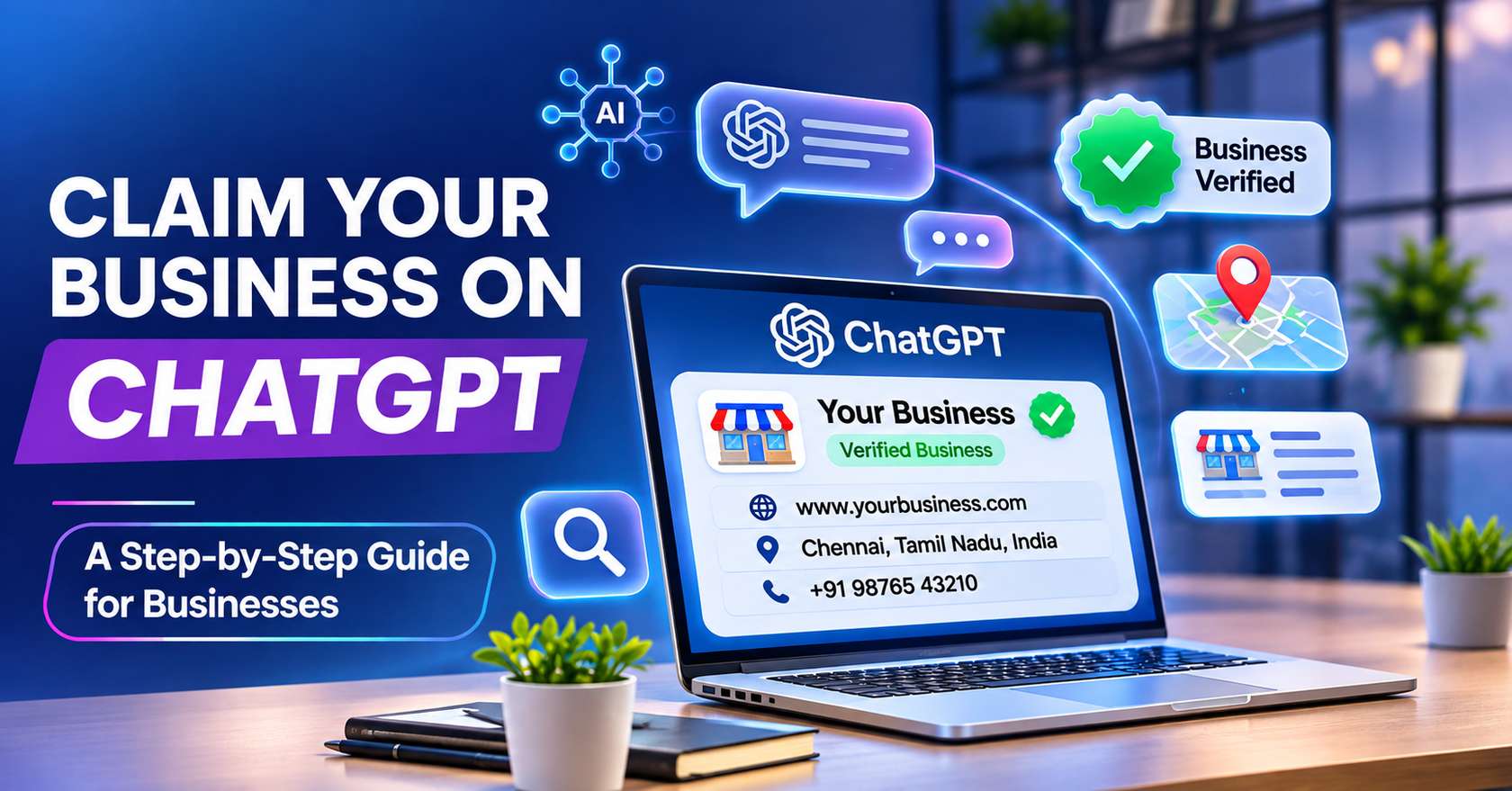
What Business Hub is, who can actually use it today, and the exact steps to get verified.
You can now claim your business on ChatGPT, and even if you can’t finish the process right now, it’s worth taking a look.
OpenAI launched Businesses in ChatGPT in beta on November 10, 2026. The dashboard is called Business Hub, and it’s the first official place a business owner can see and correct what ChatGPT knows about them. Teams offering AI SEO services have been getting questions about it all week. Most of them boil down to two: is it worth the effort, and can my business even do it?
Worth it, yes. Can you do it, maybe. Business Hub bundles three things:
- Business information: your website, description, category, logo, plus delivery and return policies.
- Insights: mentions, website clicks and discovery topics for the past 28 days.
- A Business Agent: a labeled chat customer can open with your business inside ChatGPT. Right now this is limited to eligible US ecommerce and online service businesses.
One thing before we go further. Claiming does not buy you a better ranking.OpenAI is clear that ChatGPT keeps making its own recommendations. What you get is accurate details and some numbers, not placement.
Can your business claim a profile yet?
Anyone who owns the business, or is authorized to represent it, can try. Beyond that, it gets patchy.
Claiming works where ChatGPT is available and OpenAI supports the verification. Online businesses may be able to add a listing if theirs is missing. Local stores and restaurants, though, can currently claim only an existing US listing. If you run a neighborhood shop in India, you’ll probably hit that wall. Several Indian marketing sites say the same, so check Business Hub before you plan anything around it.
Don’t take that as a reason to wait, though. D2C brands, SaaS companies, online coaching businesses and other online services are the likeliest to get through today. Local shops can still prepare their listings, website copy and directory details now, so they’re ready when access widens.
No fee is published for claiming, and you don’t need an Ads account or an Enterprise agreement.
Claiming is also separate from paid products. A ChatGPT Business subscription and ChatGPT ad credits are different purchases, and you need neither to claim your profile.
Why claiming matters now
OpenAI says about 1.2 billion people use ChatGPT every week, and your business may already have a listing there whether you claimed it or not. Unclaimed listings stay visible, so claiming is really about making sure what setting up your business on chatgpt and how itshows people. In India, Justdial also launched a ChatGPT integration in October 2026, which means a complete directory listing now feeds into the same place where customers ask questions.
Get these ready first
It saves a lot of back and forth:
- A ChatGPT account the company controls, not one person’s private login
- Access to the business phone, a business email, your domain’s DNS settings, or your Shopify store
- Government ID and business registration papers (GST or company documents, for example)
- A plain-language description of what you do, ready to paste
If an agency manages your domain, ask them now. You’ll need a DNS record from them later.
Step 1: Find your listing in Business Hub
Steps to follow:
Explore Business Hub: Sign in to ChatGPT, open Business Hub from Explore in the sidebar (or go to chatgpt.com/business-hub) and search for your business name.
Search your GBP: Read the address and website on the results before you click anything. Duplicates are common.
Claim the existing GBP: Pick the right one, select Get started, and confirm which account will manage it.
Complete the mobile verification: The claiming process needs you to verify with your business phone’s code, or use email, domain or Shopify if it’s outdated.
If you see “Contact support” instead, the listing is locked and you’ll need toask OpenAI for access. If someone else already claimed it, use Dispute ownership from the three-dot menu.
Step 2: Prove you control the business
ChatGPT shows whichever methods apply to your listing:
- Business phone: a code by text or automated call
- Business email: a code sent to the address on file
- Website domain: add a TXT record to your DNS, then hit Verify domain
- Shopify: connect your store
Domain verification is the safest bet if the listed phone number is old or goes to a call center. Copy the record exactly as shown. DNS can take a few hours to update, so if it fails, wait before retrying.
OpenAI thenreviews the claim and emails you a decision. No review time is published, and you can cancel while it’s pending.
Step 3: Finish the Persona identity check
People miss this one. Claim approval only gets your business into Business Hub. To publish edits, see insights, or create an agent, the person managing the profile must also pass identity verification with Persona, OpenAI’s verification partner.
Expect to upload ID and possibly business registration and proof you can act for the company. Names and addresses should match your official records. Once approved, the blue check appears on your profile.
Submitting your documents to Persona isn’t the same as being approved, so features stay locked until OpenAI confirms. If a check is rejected, follow the instructions in the email and resubmit with details that exactly match your official business records.
Step 4: Fill in your business information
Now the useful part. You can edit your website, description, category, logo, cover photo, and your delivery and return policies. Everything you submit is reviewed before it goes live.
Write like a customer asks, not like a brochure. Keep every detail identical to your website, word for word. If the profile and your site say different things, you’ve handed ChatGPT two versions of the truth.
Keep these details ready before you start:
- Business category and services: pick the category that fits best and list each service you offer.
- Business hours: add your working hours and keep them current.
- Contact details: add your phone number and a business email ID, which is also used for verification.
- Photos: upload at least 3 photos to complete the setup.
- Location: pin your exact location on the map so customers are not sent to the wrong place.
- Business time zone: this is required, so set it correctly to keep your hours accurate.
Be careful with the first publish. OpenAI support can’t delete or hide a published profile, only drafts can be removed. Retailers can also connect a product feed with prices and availability, and Shopify merchants can sync a catalog directly.
Read OpenAI’s Businesses in ChatGPT terms before you accept them. They give OpenAI a perpetual, irrevocable license to your basic business details, and OpenAI may supplement or edit your listing using other sources. Multi-location brands should also know that claiming the main brand doesn’t claim its locations, so each one is handled separately.
Step 5: Read your insights properly
Open your business and select Insights. You’ll see mentions, website clicks and discovery topics, which are common themes in answers that mentioned your business.
Two cautions. A blank metric doesn’t mean zero, it can mean activity hasn’t crossed a reporting threshold. And you won’t see individual prompts or conversations, ever. If clicks are low but mentions are healthy, look at the page ChatGPT is likely pointing to and ask whether it answers the question quickly.
Online mentions count references to your website, not just your brand name. Local mentions count whenever ChatGPT shows your location, even if nobody clicks.
GBP vs ChatGPT business profile: what’s different?
People keep calling this “Google Business Profile for ChatGPT.” It’s a fair shortcut, but the two aren’t the same thing, and you can’t import one into the other.
| Features | Google Business Profile | ChatGPT Business Profile |
|---|---|---|
| Where it shows | Google Search and Maps | ChatGPT answers |
| Who qualifies | Businesses with face-to-face customer contact; online-only businesses are excluded | Eligible businesses where ChatGPT is available; local stores are limited to existing US listings |
| Verification | Phone, email, video or postcard | Phone, email, DNS or Shopify, followed by Persona ID check |
| Cost | Free | No fee published |
| Analytics | Views, searches, calls, directions and clicks | Mentions, website clicks and discovery topics (28 days) |
| Reviews and photos | Central to how you rank locally | Not a profile feature; ChatGPT may pull information from other sources |
The practical takeaway: GBP is still where local customers in Chennai find you today, so don’t neglect it. The ChatGPT profile is an early extra. Keep your name, address, phone and hours identical across both, plus your website and directories. ChatGPT can pull from other sources too, and inconsistent details make its answers about you worse.
Common mistakes to avoid
Most claim problems are ownership problems, not technical ones. Teams often claim from a personal account, so access disappears when that person leaves. Others stop after the claim and skip Persona, which means they can’t edit anything or see insights. Some paste their “About us” page into the description instead of answering customer questions. And many treat the profile as finished, even though policies, prices and products keep changing. Give it one clear owner, and review it every month.
What to do in your first week
- Name one owner for the profile.
- Finish both approvals, claim and Persona.
- Review the description and policies against your website.
- Check insights, then set a monthly reminder to review them.
- Allow OAI-SearchBot in your robots.txt so your site can appear in ChatGPT search answers.
Sites that block OAI-SearchBot don’t show up in ChatGPT search, apart from navigational links. GPTBot is a separate crawler tied to model training, so you can block it without affecting search. Robots.txt changes take about 24 hours to apply.
Where this leaves you
Claiming your profile is a routine administrative step. It keeps your business information accurate, but it does not drive growth on its own. Whether ChatGPT actually recommends you still depends on your website, your reviews and how clearly the web describes you. That’s the real work, and it’s the same work behind GEO services and any serious generative engine optimization effort.
That’s where we come in. At Infinix360, we’re a Chennai digital marketing company with 15 years of experience and 500+ clients across 50+ industries. Our local SEO services cover the basics first: a clean Google Business Profile, consistent listings, and a site that answers what customers ask. Then we build on that for AI search, so your business gets found whether someone types into Google or asks ChatGPT.
Want help claiming and optimizing your profile? Talk to the Infinix team.
1. Can Indian businesses claim a ChatGPT business profile?
Online businesses like D2C brands, SaaS companies and online services are likeliest to get through today. Local shops can currently claim only existing US listings, so check Business Hub first.
2. Does claiming improve my ranking in ChatGPT?
No. Claiming does not buy a better ranking, because ChatGPT makes its own recommendations. It gives you correct business details and a view of your mentions and clicks, but won’t change where you appear in ChatGPT’s answers.
3. Is there a fee to claim my business on ChatGPT?
No fee is required for any initial steps. You also do not need an Ads account, an Enterprise agreement, a ChatGPT Business subscription or ad credits, since those are separate paid products.
4. Why do I need the Persona check after claim approval?
Claim approval only gets your business into Business Hub. To publish edits, view insights or create an agent, the profile manager must also pass Persona identity verification before features unlock.
5. Is a ChatGPT business profile the same as a Google Business Profile?
Google Business Profile shows in Search and Maps and is free, while the ChatGPT profile shows in ChatGPT answers. You cannot import one into the other, so keep details identical.